![green house sales and marketing.png]](https://kb.greenhouseuvu.com/hs-fs/hubfs/green%20house%20sales%20and%20marketing.png?height=35&name=green%20house%20sales%20and%20marketing.png)
- Go to the folder on Google Drive where you would like to house the document
- Select + New
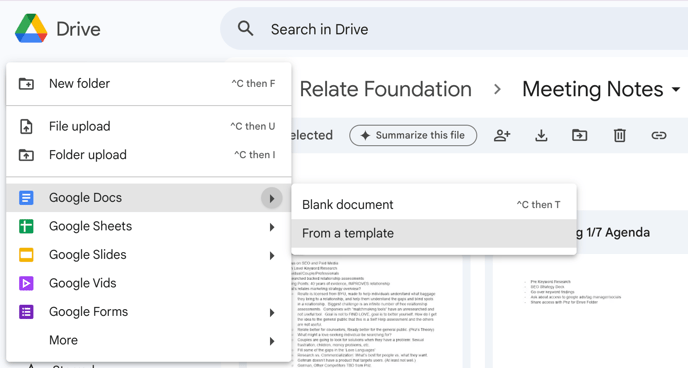
- Select the arrow next to the document type you would like to access (ex. Google Docs)
- Select From a template. (see screenshot below)
- Select the template you would like to use
A document with that template will automatically be created in that folder.