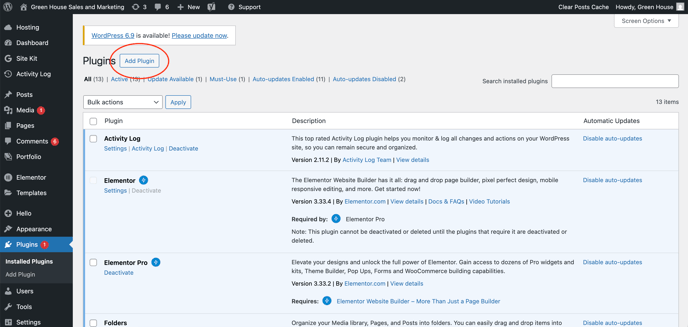
Step 1: Inside WP admin, select Plugins on the left bar. Click Add Plugin.
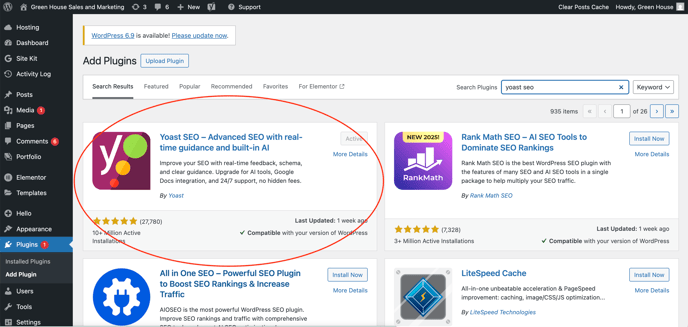
Step 2: Search for Yoast SEO. Click Install now and then Activate.
Step 3: Click Enable auto-updates

![green house sales and marketing.png]](https://kb.greenhouseuvu.com/hs-fs/hubfs/green%20house%20sales%20and%20marketing.png?height=35&name=green%20house%20sales%20and%20marketing.png)
Step 1: Inside WP admin, select Plugins on the left bar. Click Add Plugin.
Step 2: Search for Yoast SEO. Click Install now and then Activate.
Step 3: Click Enable auto-updates